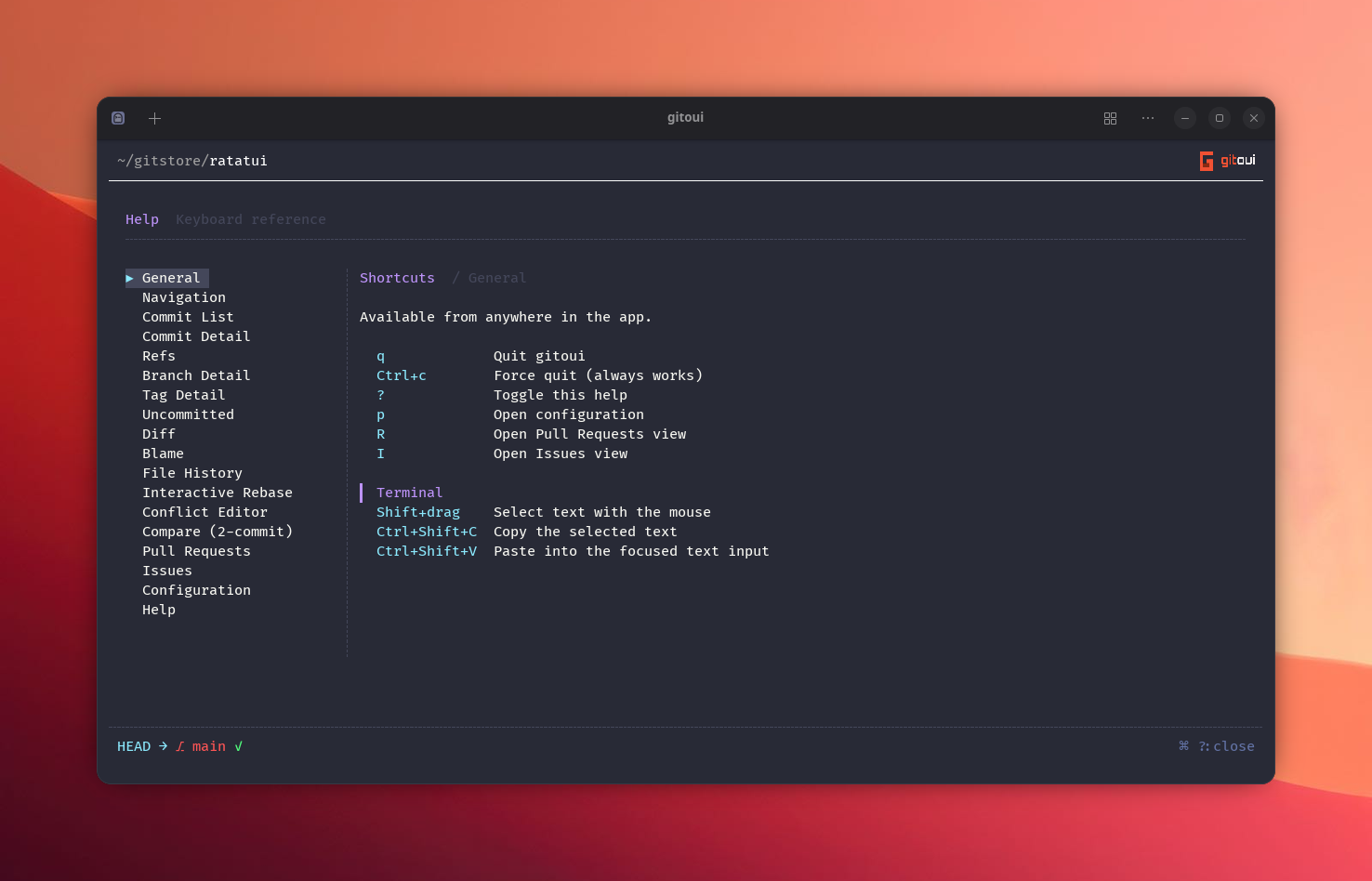
Keybindings, overview
gitoui has a two-layer keybind system:
- A global map of
UserEvent → key list. Same shape as upstream serie:quit = ["q"],navigate_up = ["k", "up"], etc. Available everywhere. - Per-view scopes,
[keybind.scope.<path>]sub-tables that override the global map for a specific view. Scopes nest:pr.conversationwalks back toprthen to the global section if a key isn’t bound in the leaf.
The two layers exist for one reason: views need keys to mean different
things. a is stage globally (Uncommitted view) but approve in PR
review; d is delete_own_comment in PR conversation but drop_commit
in the commit list. A flat key map can’t represent that, scopes can.
Dispatch order
Section titled “Dispatch order”- Scoped lookup first, the view checks its scope chain (deepest
path → walks parents, e.g.
pr.conversation→pr). - Global fallback, if the scoped chain misses, the global
UserEventmap fires. - Literal-char escape, if neither matches, the key is forwarded
to the view’s
handle_eventwithUserEvent::Unknownso view-local literal-char matches still get a chance.
This is what makes a mean different things across views without needing
explicit “if PR-view do X else Y” branching in the dispatcher.
Merge semantics
Section titled “Merge semantics”Both global and scoped overrides are REPLACING per event/action, not
additive. If your config says approve = ["ctrl-a"], the default a → approve binding is dropped, only Ctrl+A triggers approve.
To keep both keys, list them explicitly:
[keybind.scope.pr]approve = ["a", "ctrl-a"] # both fire approveAnything you don’t touch keeps its full default key list.
Modifier cap
Section titled “Modifier cap”gitoui accepts at most one modifier prefix per key
ctrl-X alt-X shift-X.
Chained combos like ctrl-shift-a are rejected at config-load with a styled
diagnostic.
Why: the displays stay compact (Ctrl+a vs Ctrl+Shift+a), and most
terminals are unreliable with three-key combos anyway. If you need more
than one modifier, pick a different base key (F-keys are usually free).
Scopes
Section titled “Scopes”Every scope below ships with default bindings, see Custom keybindings for the full action list per scope.
| Scope path | View |
|---|---|
list | Commit list (the home screen). |
detail | Commit detail, currently hosts revert (v), which would otherwise collide with clean_untracked in the uncommitted view. |
pr | Pull Request, actions on the open PR. |
pr.list | PR list (browse all PRs). |
pr.conversation | PR Conversation tab (card-local actions). |
issues | Issue, actions on the open issue. |
issues.list | Issue list. |
issues.detail | Issue Conversation tab. |
rebase | Interactive rebase plan editor. |
rebase.resume | Resume prompt for paused rebases. |
rebase.reword_editor | The inline subject editor when rewording. |
conflict | 3-way conflict editor. |
compose | Compose forms (new PR / new Issue / comment / reply). |
Live display
Section titled “Live display”Every footer, sub-header, comment-card ribbon, and the Help page renders
the current key for each action by looking it up against your config at
paint time. Rebind approve = ["ctrl-a"] and Ctrl+a:approve is what the
PR detail footer will show, no app restart, no doc lag.
Where keys go
Section titled “Where keys go”| Path | What |
|---|---|
assets/default-keybind.toml (embedded) | The defaults gitoui ships with. |
~/.config/gitoui/config.toml → [keybind] and [keybind.scope.<path>] | Your overrides. |
A clean way to see your effective bindings is the in-app Help page (? or
F1), every shortcut listed there is computed from your live config.