
Uncommitted & staging
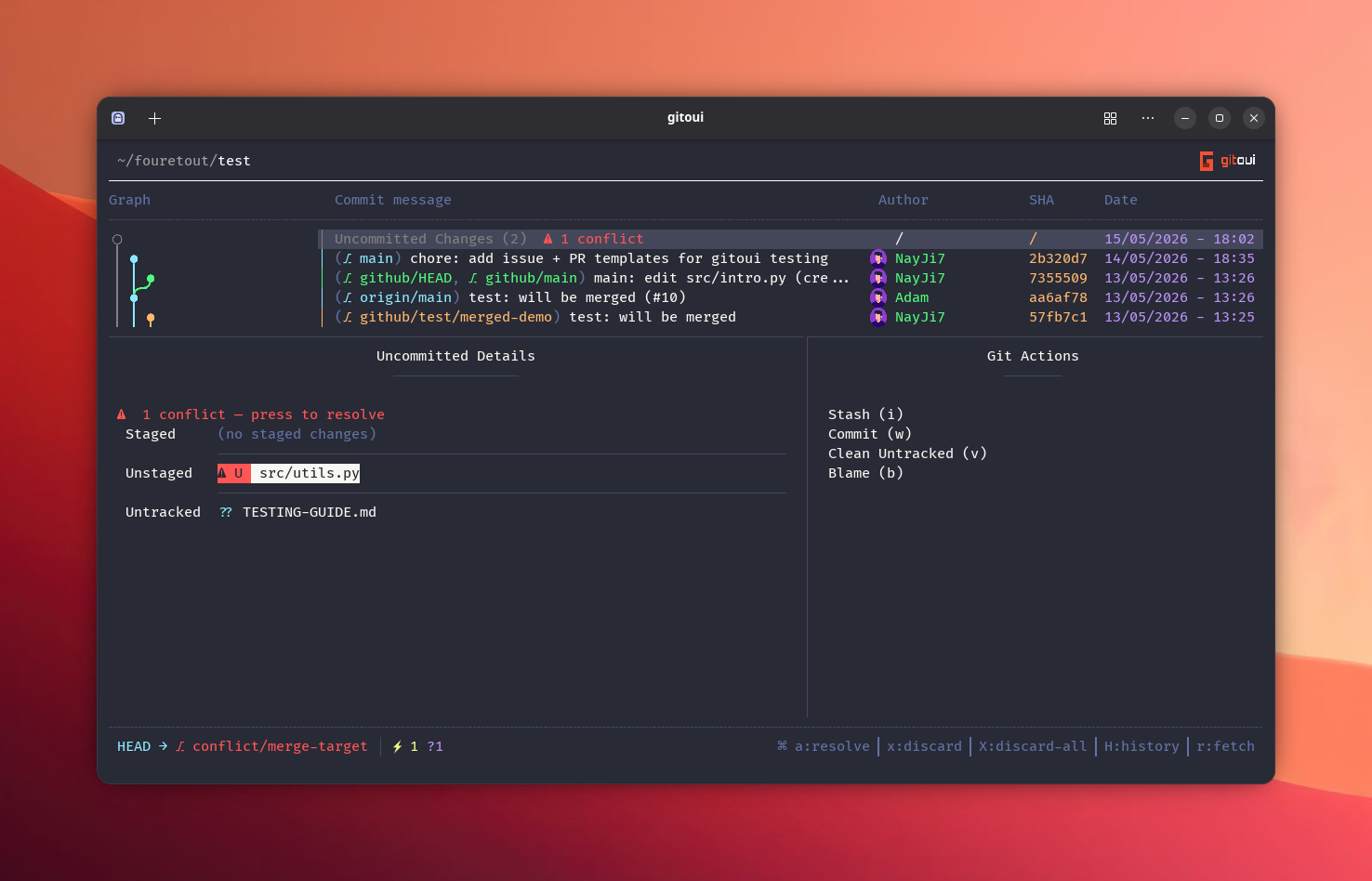
Enter on the top row of the commit list opens the Uncommitted view.
Three side-by-side panels:
| Panel | What |
|---|---|
| Unstaged | Modified / deleted files in the working tree. |
| Staged | Files in the index ready to be committed. |
| Untracked | New files not yet tracked. |
← / → switch between panels, ↑ / ↓ move the cursor within a panel.
File-level operations
Section titled “File-level operations”| Press | Action |
|---|---|
a | Stage the focused file (or open the conflict editor for unmerged files). |
Shift+A | Stage every unstaged + untracked file. |
u | Unstage the focused file (Staged panel). |
Shift+U | Unstage every staged file. |
x | Discard an unstaged change (with confirmation). |
Shift+X | Discard every unstaged + staged change. |
v | Clean (delete) an untracked file. |
Hunk-level staging
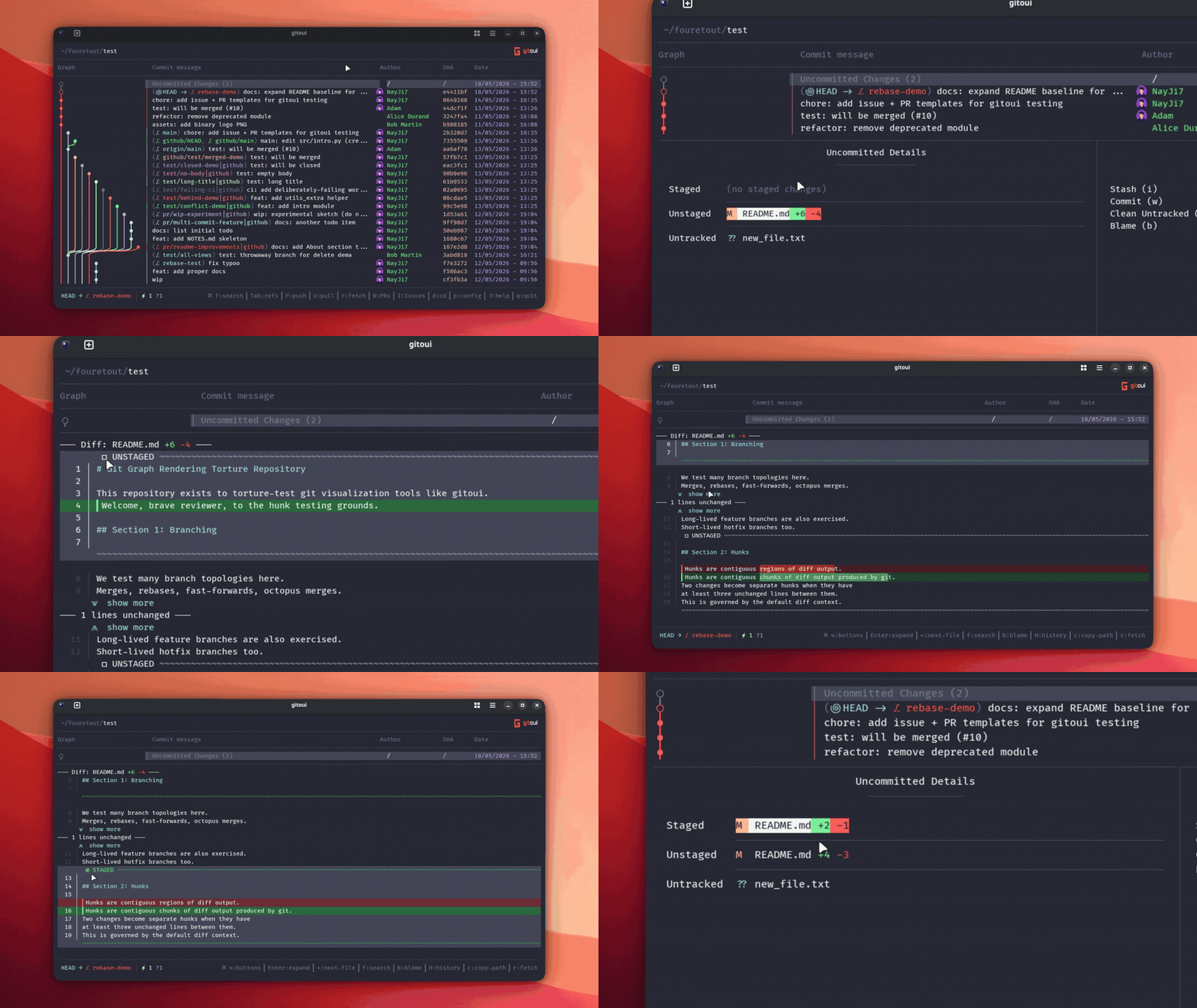
Section titled “Hunk-level staging”Enteron a file → opens the interactive diff for that file.- Cursor moves between hunks with
↑ / ↓. - Press
Enteron a hunk to stage (or unstage) just that hunk exactly whatgit add -pdoes, but visual. - The hunk migrates Unstaged → Staged live; refresh the side panels
with
rif you opened other tools in parallel.
Commit, stash, branch
Section titled “Commit, stash, branch”| Press | Action |
|---|---|
w | Open the commit message editor, multi-line, supports Ctrl+H / Ctrl+W word-delete and Ctrl+Enter / Ctrl+S submit. |
i | Stash the working tree (with optional message + include-untracked flag dialog). |
Conflict editor
Section titled “Conflict editor”Unmerged files (the result of a paused merge, rebase or cherry-pick) show a
⚠ N conflict(s) badge on the row. a on such a file opens the conflict
editor, pick OURS / THEIRS / BOTH per hunk and save.
3-way conflict editor → OURS / THEIRS / BOTH per hunk, two-pane or inline layout.