
Pull Requests
Shift+R (anywhere in the app) opens the PR list. Needs the repo to
have a GitHub remote and you to be logged in via the Configuration view’s
GitHub Auth section.
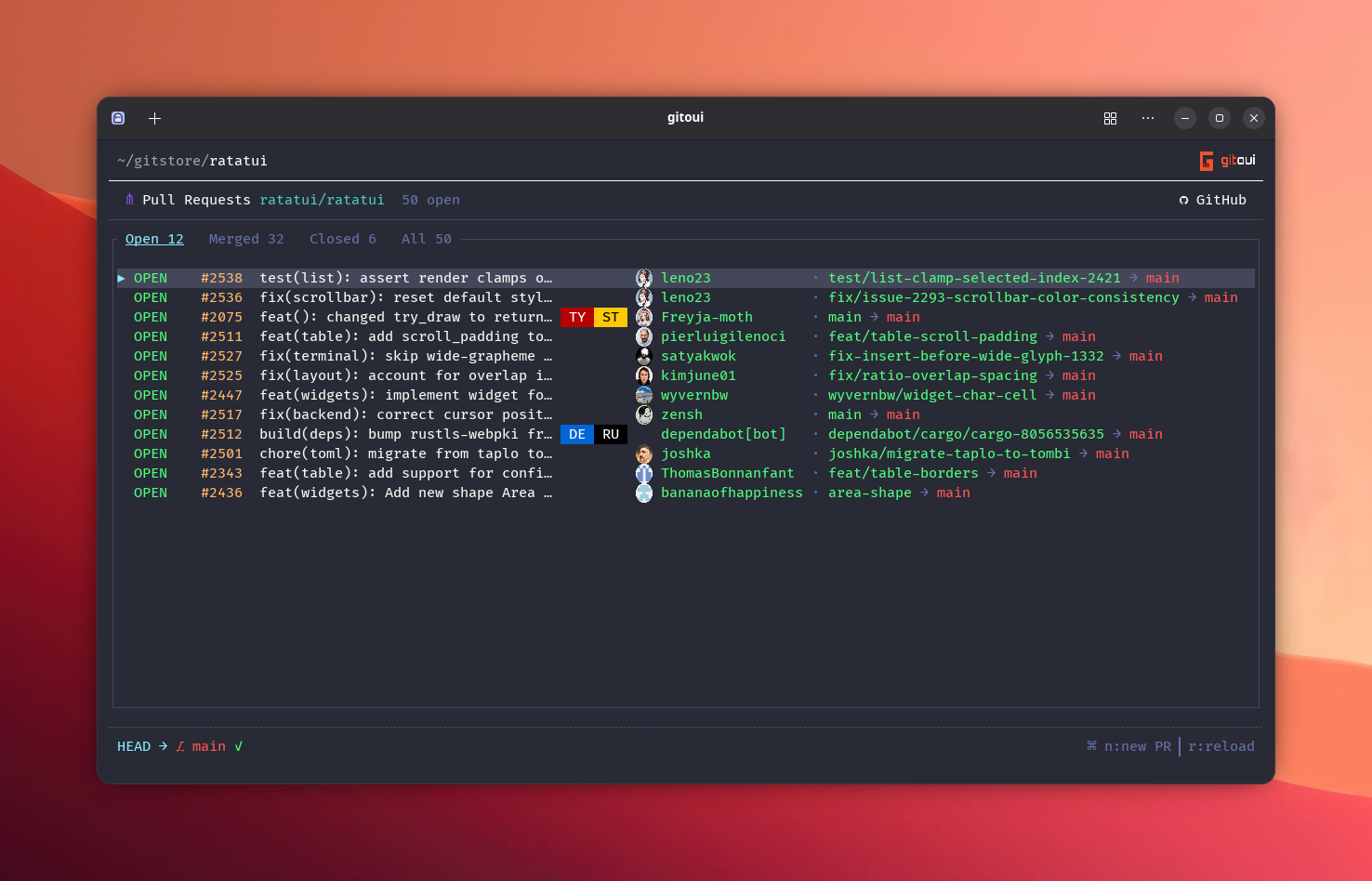
PR list
Section titled “PR list”| Column | What |
|---|---|
| #N | PR number (orange). |
| Title | With label chips and head→base branch arrow. |
| Author | Login + avatar (when avatars are enabled). |
| Status | Open / Merged / Closed + draft indicator. |
| Press | Action |
|---|---|
↑↓ / j / k | Move cursor. |
Enter | Open PR detail. |
← / → | Cycle filter: Open / Merged / Closed / All. |
n | Compose a new PR (new_pr in scope.pr.list). |
r | Reload (reload in scope.pr). |
Esc | Close PR view. |
PR detail
Section titled “PR detail”Four tabs across the top: Conversation, Commits, Checks,
Files. Switch with ← / →. The right edge of the tab bar shows
state-action shortcuts (Ctrl+X close, Ctrl+D to draft, etc.) that
follow the current PR state.
PR-wide actions (any tab)
Section titled “PR-wide actions (any tab)”| Press | Action |
|---|---|
a | Approve review. |
x | Request changes. |
m | Merge (opens the merge dialog, squash / merge commit / rebase). |
o | Open in browser. |
l | Labels picker. |
v | Reviewers picker. |
Ctrl+X | Close PR. |
Ctrl+O | Reopen. |
Ctrl+D | Toggle draft. |
r | Reload from API. |
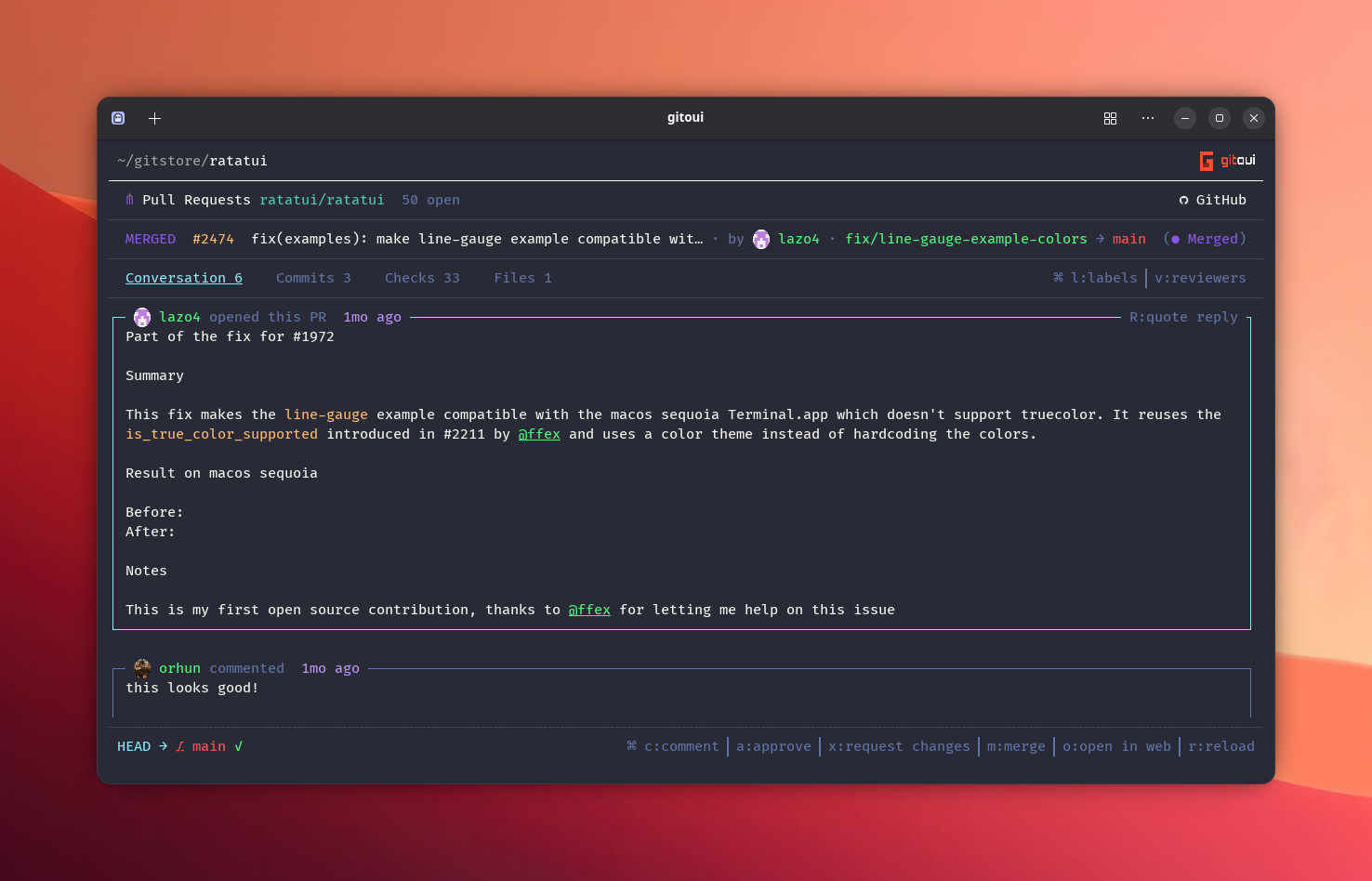
Shows the PR description card, then every comment, review, review-comment, and timeline event in chronological order. The selected card has a top-border ribbon with card-local actions:
| Press | Action |
|---|---|
c | New comment (opens the comment editor overlay). |
Shift+R | Quote-reply to the focused comment. |
e | Edit your own comment. |
d | Delete your own comment (confirmation dialog). |
+ | React (emoji picker, toggle on/off, your reactions highlighted). |
↵ | Open the first #N reference inside the focused card. |
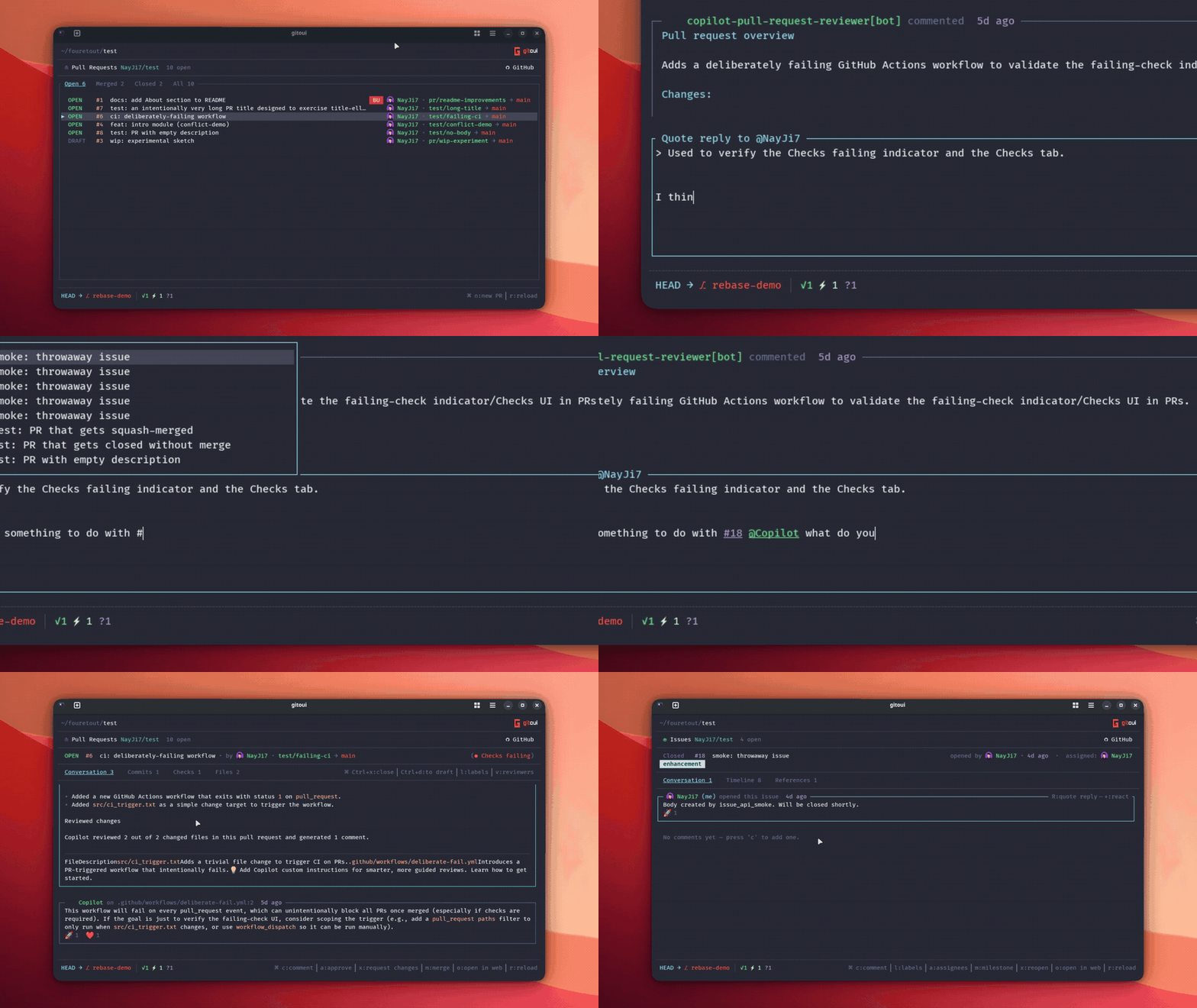
#N mentions are styled inline and clickable. The picker is mouse-aware.
Lists every file touched by the PR with +/− line counts. Enter
drills into the file’s diff, same view as commit-detail diffs, including
hunk navigation and in-diff search.
Shows the commits in the PR with author + avatar + date. Enter drills
into a commit’s detail view, where every diff / blame / file-history flow
works as in the main app.
Mirrors the CI run on github.com’s /pull/<n>/checks page, every check
run grouped under its parent workflow. Workflows are collapsed by
default; the cursor lands on workflow headers first so you can scan
status at a glance.
| Press | Action |
|---|---|
↑↓ / j / k | Move through workflow headers and (when expanded) their check rows. |
Enter / click on a header | Expand / collapse the workflow group. |
Enter / click on a check row | Open the “Open on GitHub” dialog, log streaming isn’t local, the dialog confirms and o jumps to the run URL in your browser. |
Compose
Section titled “Compose”nfrom the PR list opens the compose form, fields for Title, Body, Base branch, Head branch, Labels, Reviewers, Draft.- Type in the Body, markdown supported, with live preview on the right.
- Type
#to open the mention popup: filter by number,↑↓to pick,Enterto insert as#123. - Submit with
Ctrl+Srebindable via[keybind.scope.compose] submit.
The body field also supports word-jump editing, Ctrl+H / Ctrl+W /
Ctrl+Backspace delete word left, Ctrl+Left / Ctrl+Right jump by word.