
Basic usage
Run gitoui from inside any git repository:
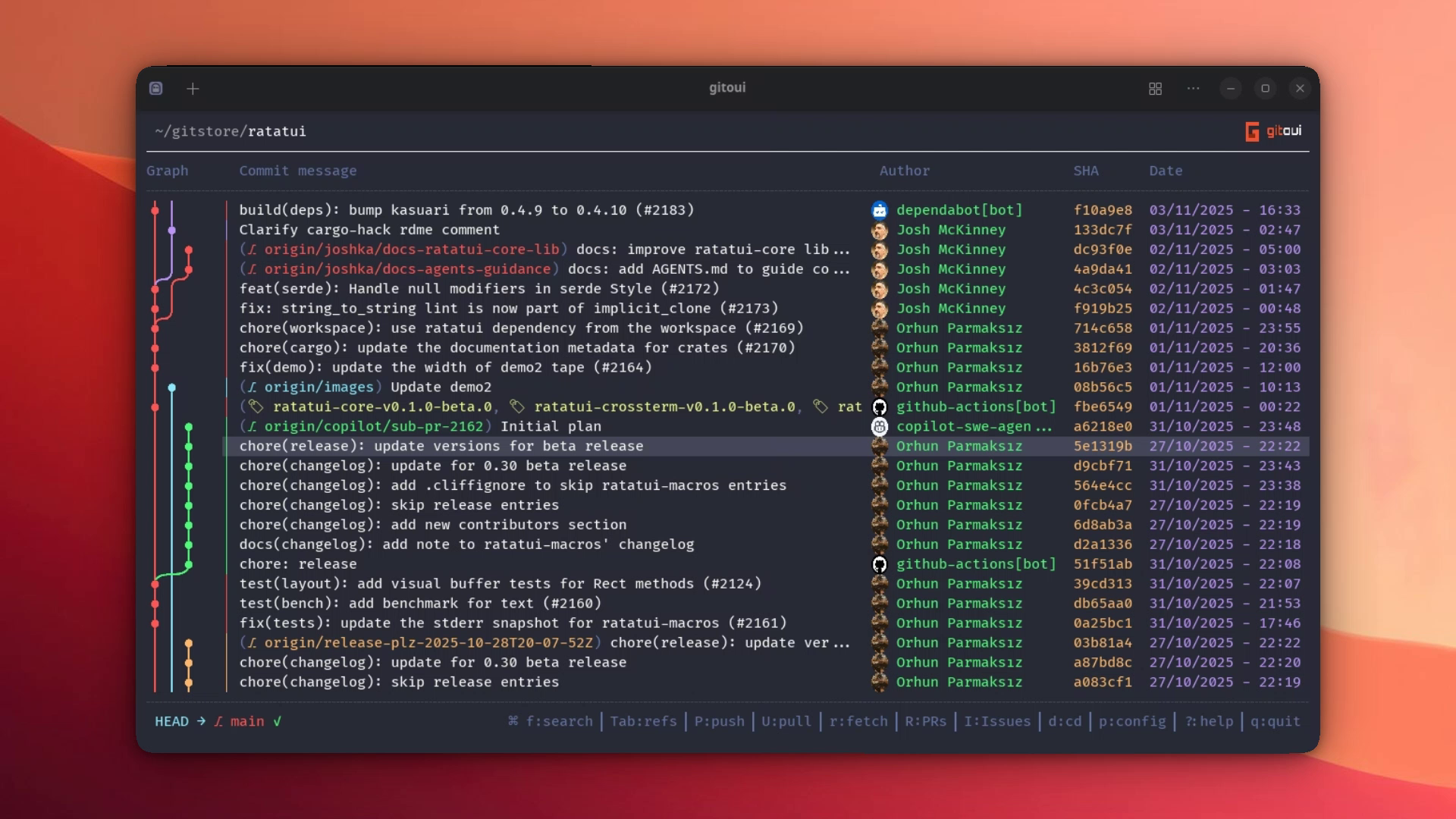
cd ~/my/repogitouiYou land on the commit list, your home screen. The commit graph is on the
left, then commit message, author, hash, and date. Use arrows or j/k to
move. Each shortcut shown below is reconfigurable, see the
Keybindings page.
The five canonical moves
Section titled “The five canonical moves”These five shortcuts cover 95% of navigation, learn them first.
| Press | Goes to |
|---|---|
Enter | Commit detail (or Uncommitted on the top row). |
Tab | Refs panel (branches, tags, stashes, remotes). |
f | Search, fuzzy by default, toggle case (s) / fuzzy (z) / regex (x) inline. |
? or F1 | Help, the live reference of every shortcut, computed from your config. |
p | Configuration, themes, modes, GitHub auth, live cycling with ← / →. |
Hit Esc (or q in the list view) to back out of any view.
Common workflows
Section titled “Common workflows”Review a commit + open its diff
Section titled “Review a commit + open its diff”- Cursor on the commit, press
Enter→ Commit Detail opens. - Right panel lists every action (Add Tag, Blame, Checkout, Cherry Pick, Revert, Drop, Merge, Rebase, Reset, Squash, Amend…). Left panel shows author, date, hash, refs, message, and the file-change summary.
Enteron a file in that summary → Diff view (side-by-side mode configurable viacore.option.diff_mode).+/-cycle to the next / previous file in the commit.
Stage and commit
Section titled “Stage and commit”From the commit list, Enter on the top row (Uncommitted Changes) opens the
Uncommitted view: Unstaged, Staged, and Untracked panels side by side.
| Press | Action |
|---|---|
a | Stage the focused file (or open the 3-way conflict editor when the file is in conflict). |
u | Unstage from the Staged section. |
x | Discard an unstaged change. |
w | Open the commit message editor. |
i | Stash everything. |
2-commit comparison
Section titled “2-commit comparison”Space on a commit marks it. Move to a second commit and press Space
again, gitoui opens the cumulative diff between the two endpoints.
Esc clears the mark.
Interactive rebase
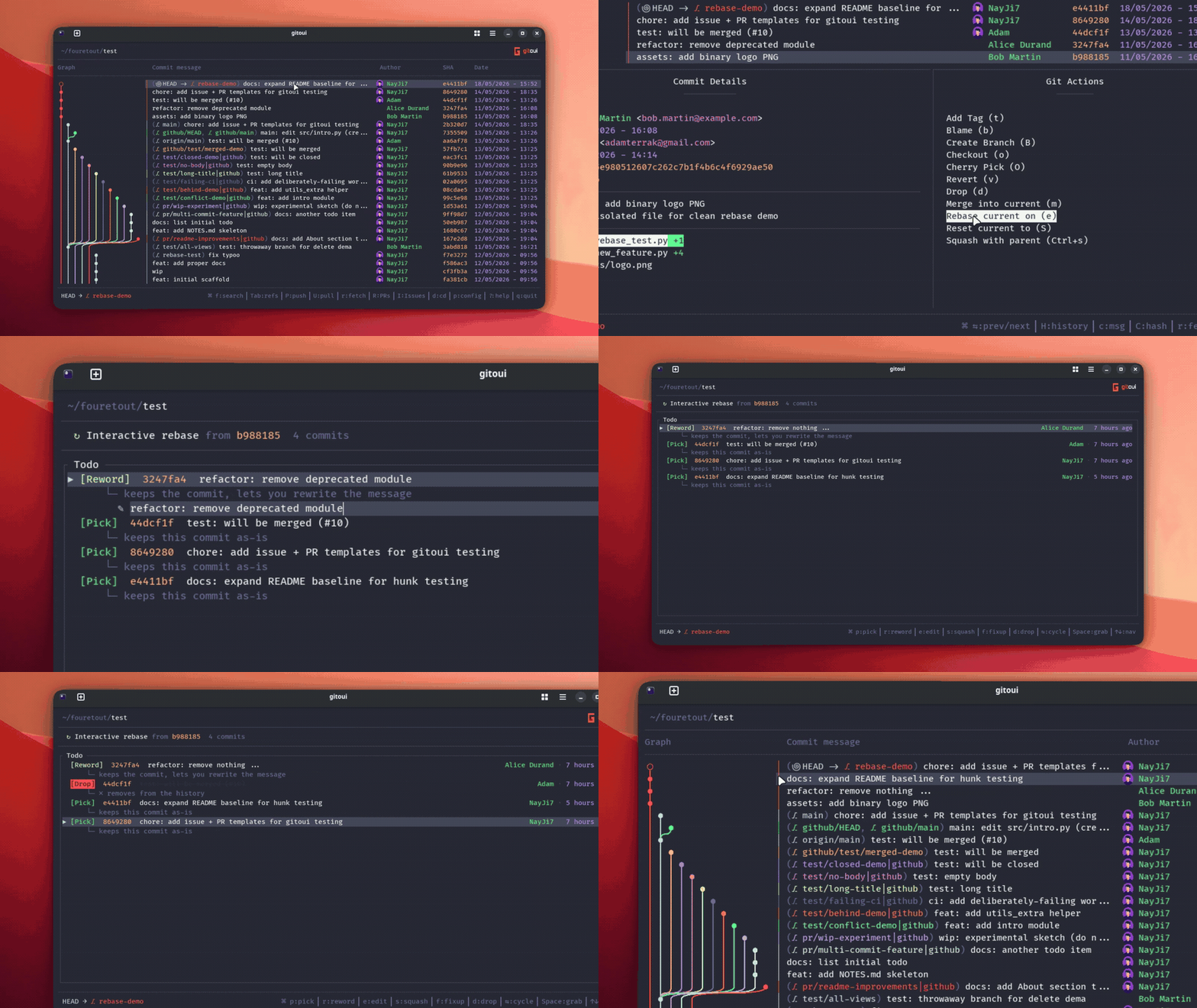
Section titled “Interactive rebase”e on a non-HEAD commit opens the rebase plan editor. Use the per-row
shortcuts (p pick, r reword, e edit, s squash, f fixup, d drop)
to set actions, Space to grab and reorder rows with arrows, Enter to
apply. If the rebase pauses (conflict, edit), gitoui detects it on the next
open and shows a resume banner with c continue / s skip / a abort.
Open a Pull Request
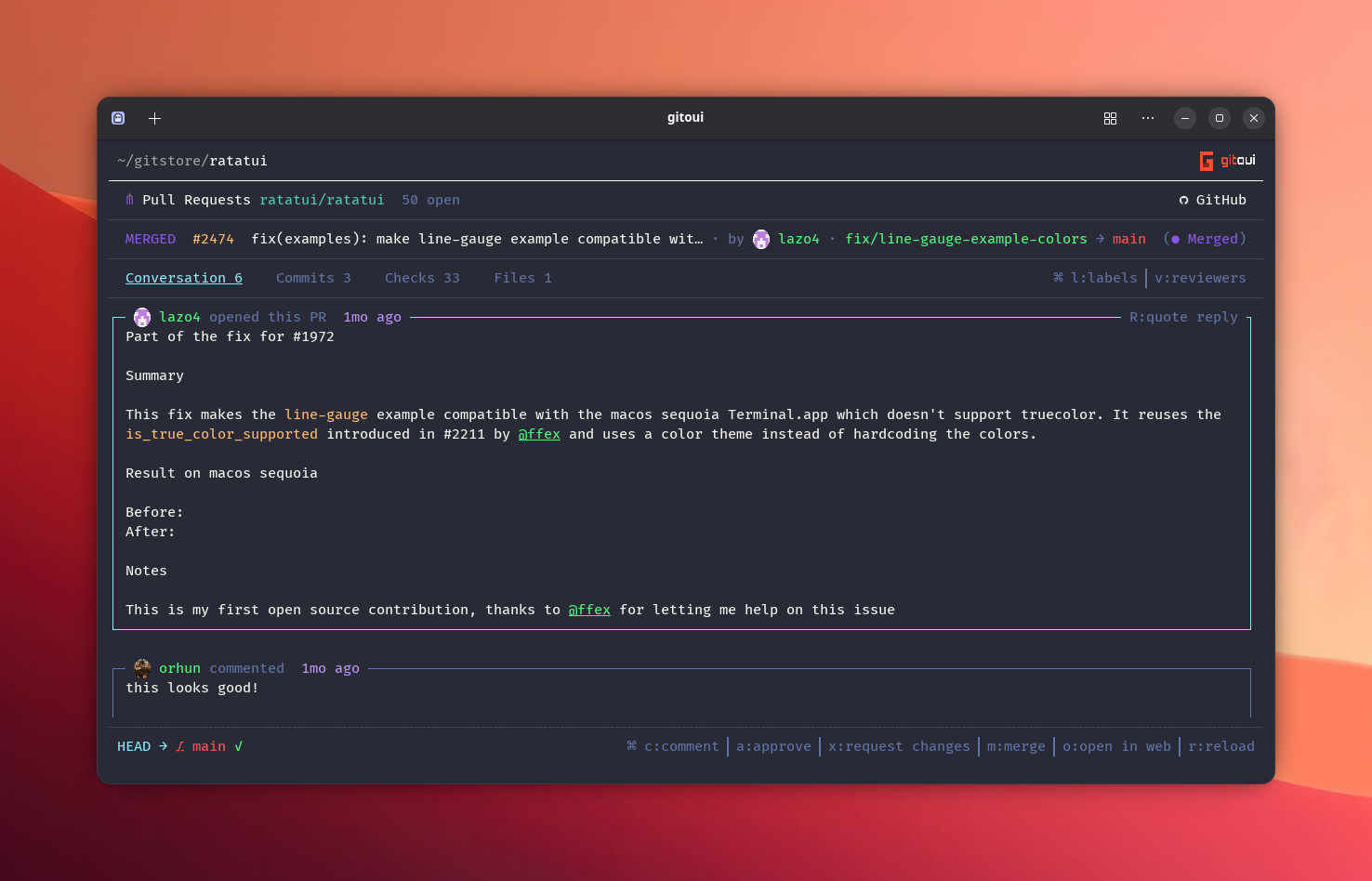
Section titled “Open a Pull Request”Shift+R (anywhere) opens the PR list. Enter drills into a PR, the
Conversation / Files / Commits / References tabs work like GitHub’s web UI.
a approve, m merge, c new comment, + react, Shift+R quote-reply.
Same flow for Issues with Shift+I.
Where things live
Section titled “Where things live”Directory~/.config/gitoui/
- config.toml main config, schema reference
Directorythemes/
- MySuperTheme.toml custom themes
- github_token.toml OAuth token (mode
0600, user-only)
Directory~/.cache/gitoui/
Directoryavatars/ cached GitHub avatar PNGs
- …
Override the config path with GITOUI_CONFIG_FILE=.... Move the whole
folder with XDG_CONFIG_HOME=... (POSIX-standard).