
Commit graph
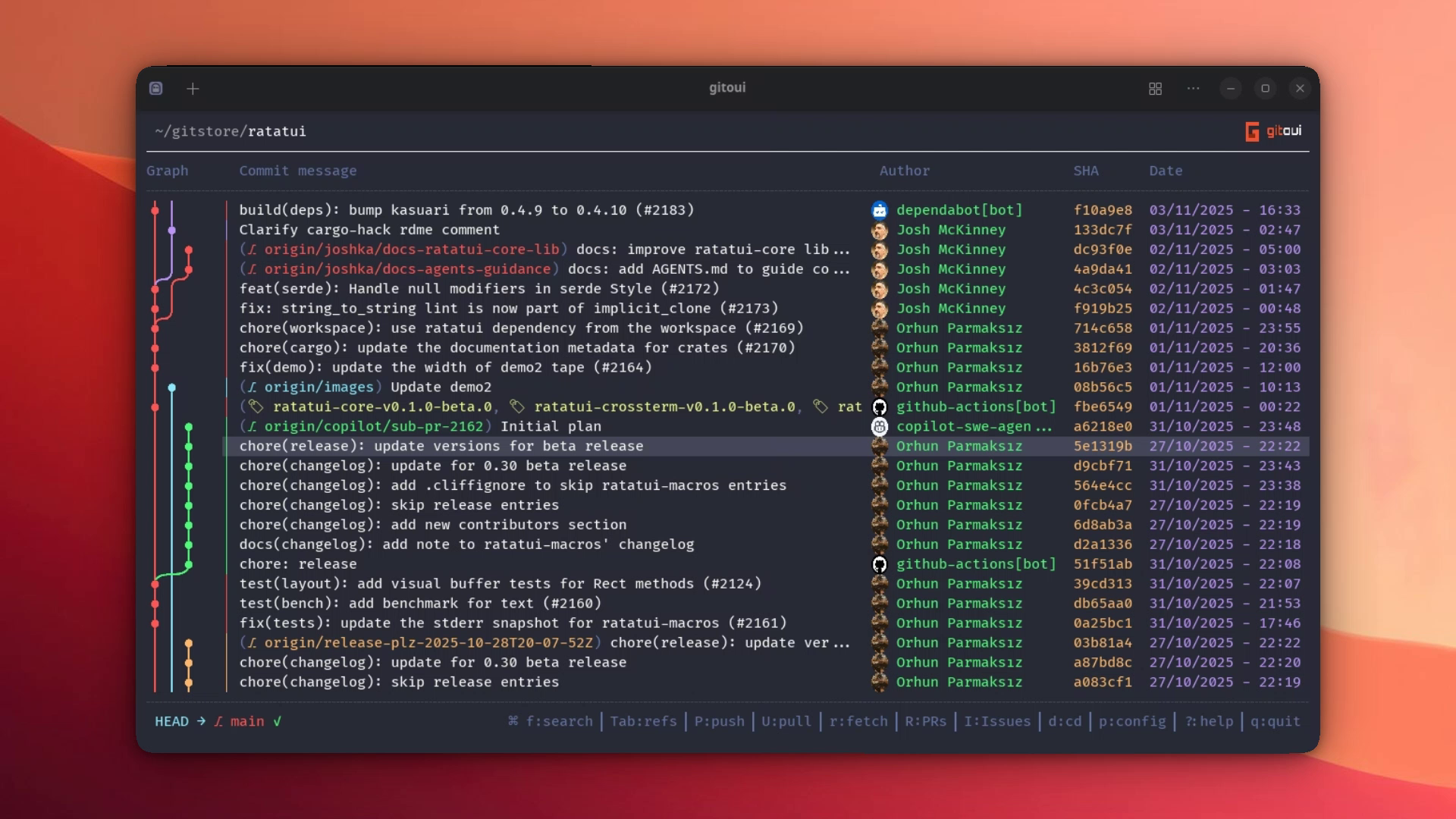
The home screen is git log --graph --all rendered as pre-computed SVG/PNG
that ships inline through your terminal’s image protocol (Kitty / iTerm2 /
Sixel). It auto-detects the renderer at startup; force one with --graph-renderer.
Alternatively, use --graph-renderer ascii to render with Unicode box-drawing
characters in any terminal (no image protocol needed).
What’s shown
Section titled “What’s shown”Each row carries:
- Graph cell, branches, merges, the commit dot (orange for HEAD).
- Commit message with inline ref glyphs (branch / remote / tag / stash).
- Author name, coloured per the theme. Avatar painted inline when cached.
- Short hash.
- Date, format set by
core.option.date_time_format.
The top row is a synthetic Uncommitted Changes entry. Drilling into it opens the Uncommitted view for staging + commit.
Search
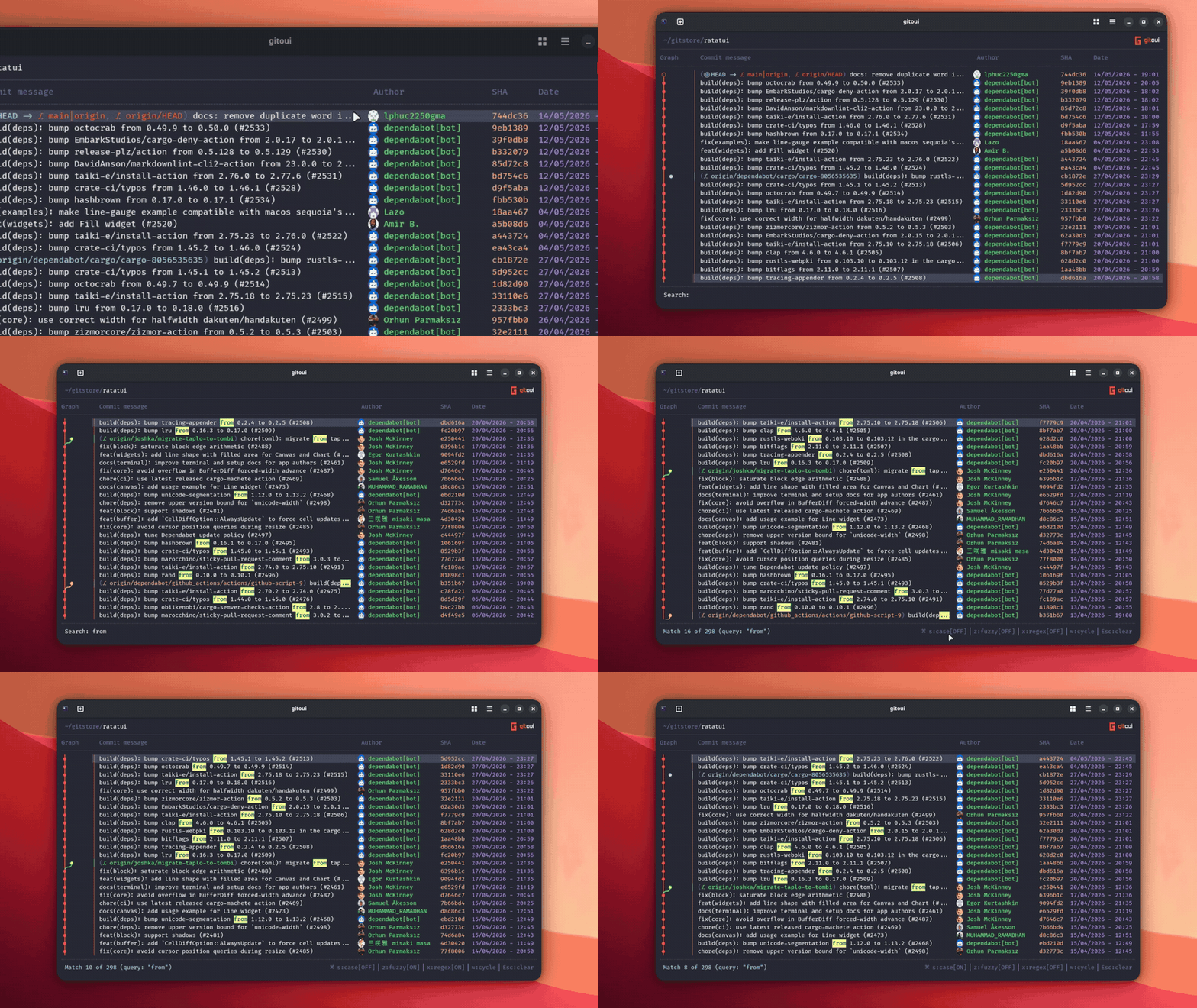
Section titled “Search”f opens the search input. By default search is incremental, fuzzy off,
case-insensitive off. Inline toggles while the search is active:
| Press | Effect |
|---|---|
s | Toggle case sensitivity. |
z | Toggle fuzzy matching. |
x | Toggle regex (after a search is applied). |
Enter | Apply the query (status line shows “Match N of M”). |
n / N | Next / previous match. |
Esc | Clear the query and exit search mode. |
The search bar’s toggle state persists per-session via [core.search] in
the config.
2-commit comparison
Section titled “2-commit comparison”- Press
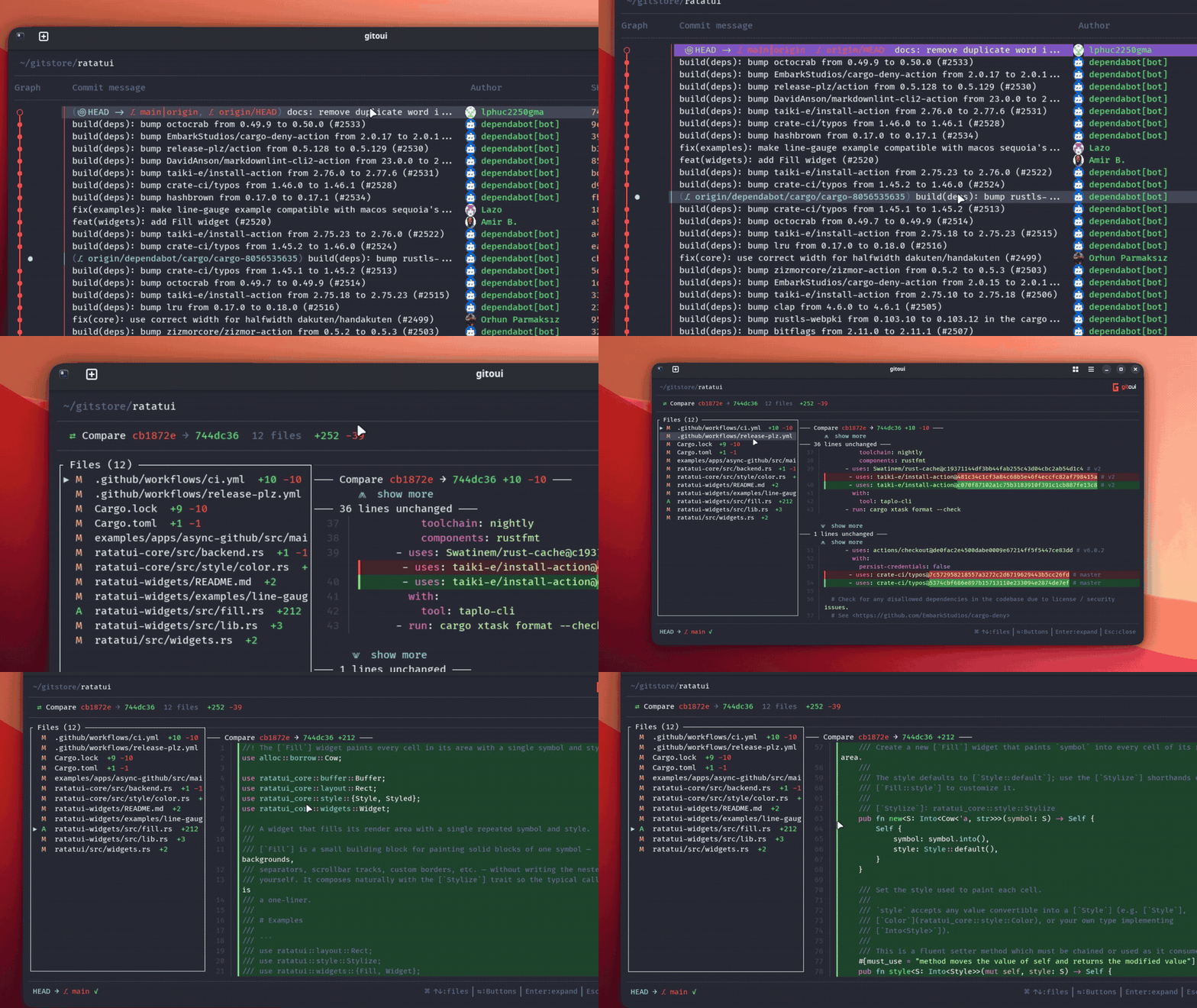
Spaceon commit A, a brand-coloured chip marks it. - Move the cursor to commit B (any direction, any distance).
- Press
Spaceagain, gitoui opens the Compare view with the cumulative diff between the two endpoints (git diff <a>..<b>).
Ctrl+click is the mouse equivalent. Esc clears the mark at any point.
Background load
Section titled “Background load”The launch shows ~500 recent commits instantly. A background thread
streams the rest of the history in parallel, reading from the on-disk
cache (fast: a few hundred ms even on 300k-commit repos) or walking
git log from scratch on the first visit.
As batches arrive, commits appear progressively in the list. A spinning Loading N commits indicator at the bottom of the list shows the live count; it disappears the moment streaming completes. The animated G logomark in the top-right header also pulses during loading as an at-a-glance “still working” signal.
Only lightweight commit metadata is streamed (hash, author, date, subject, parents). The full commit body and committer details are fetched on demand when you open the Detail view, keeping memory usage low even on huge repositories.
The on-disk cache lives at $XDG_CACHE_HOME/gitoui/<repo-hash>/commits.bin.
It is invalidated automatically when HEAD moves, when the commit
sort order changes (Chronological vs Topological), or when the cache
format is outdated. Run gitoui -C (or --clear-cache) to wipe it
manually.
-n N on the CLI caps the foreground slice to exactly N commits (the
amount you see in the very first frame). The background loader always
walks the full history regardless of -n.
Huge repos
Section titled “Huge repos”Automatic graph disable
Section titled “Automatic graph disable”On repositories with more than 50 000 commits (configurable via
[core.option] huge_repo_threshold in your config), the graph column
is automatically disabled on the first visit to keep things smooth.
You can always toggle it back on from the Config view (p), a warning
will remind you that performance may be affected.
The threshold is checked per-repo: switching from a huge repo to a
small one via d (change directory) re-enables the graph based on
your saved config.
Wide graph + horizontal scroll
Section titled “Wide graph + horizontal scroll”On repos with many parallel branches, the native graph can be hundreds of lanes wide. gitoui handles this by capping the graph column at ~40 % of the panel width and exposing a horizontal scroll:
</>slide the viewport over the lanes.- All visible rows scroll together (Kitty source-rect crop).
- iTerm2 / Sixel terminals don’t support source-rect crop: lanes past the cap are clipped.
ASCII renderer
Section titled “ASCII renderer”Set --graph-renderer ascii (or [core.option] graph_renderer = "ascii" in config)
to render the graph using Unicode box-drawing characters instead of image protocol.
This works in any terminal without requiring Kitty, iTerm2, or Sixel support.
Disabling the graph entirely
Section titled “Disabling the graph entirely”Set [ui.list] graph_enabled = false (or toggle “Graph Enabled” in
the p config view). That removes the graph pipeline entirely and
scrolling becomes near-instant even on 300 000-commit histories.
Auto-refresh
Section titled “Auto-refresh”Inline badges on the affected commit row
Section titled “Inline badges on the affected commit row”Some transient repo states surface directly on the row they apply to no need to hunt through a sidebar:
⚠ N conflicts(red), on the Uncommitted row, when there are unmerged paths from a merge / cherry-pick / rebase conflict.↻ REBASING(yellow), on the Uncommitted row, whenever a rebase is in progress on the branch.⏸ rebase paused(yellow), on the exact commit git is paused on (read from.git/rebase-merge/stopped-sha). Pressefrom the commit list to jump to the resume banner andccontinue /sskip /aabort.