
Conflict editor
When a merge / rebase / cherry-pick leaves a file in a conflicted state,
gitoui detects the unmerged status and offers the conflict editor as
the a action on that file in the Uncommitted view.
What you see
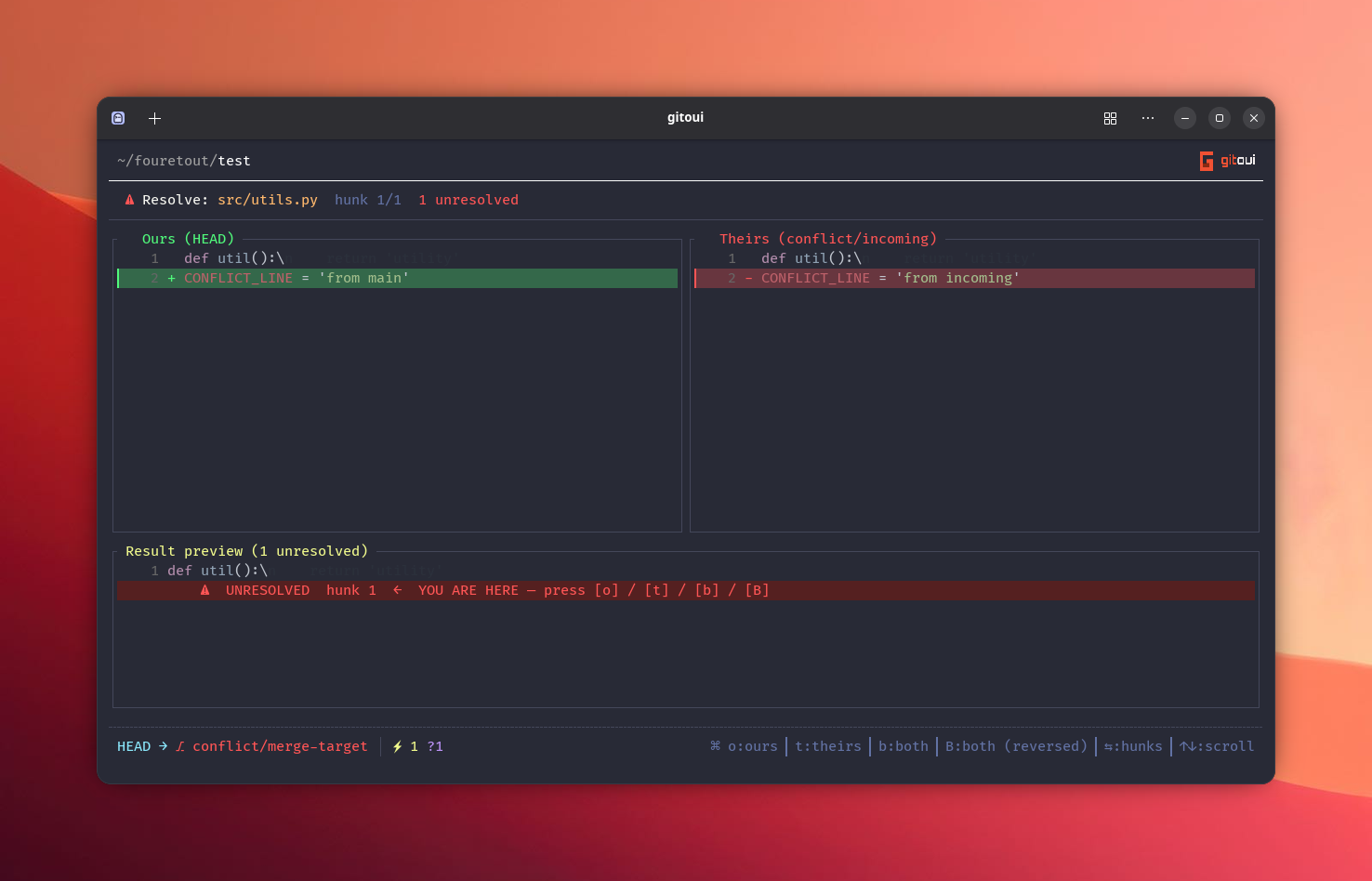
Section titled “What you see”The editor splits the file into:
- Hunks, each contiguous
<<<<<<</=======/>>>>>>>block fromgit’s conflict markers. - Surrounding context, non-conflicting lines stay shown so you can see the resolution in place.
Each hunk shows OURS (your side) and THEIRS (incoming side) side by side
(or stacked, depending on ui.common.conflict_view).
Per-hunk actions
Section titled “Per-hunk actions”| Press | Action |
|---|---|
o | Pick OURS for the focused hunk (your branch’s version). |
t | Pick THEIRS (the incoming version). |
b | Keep BOTH, OURS lines first, then THEIRS lines. |
Shift+B | Keep BOTH, THEIRS lines first, then OURS lines. |
n / → | Next hunk. |
p / ← | Previous hunk. |
↑↓ | Scroll the file viewport without moving between hunks. |
Enter | Write the resolution back to the file and git add it. |
Esc | Cancel, file stays conflicted, no writes. |
Full flow
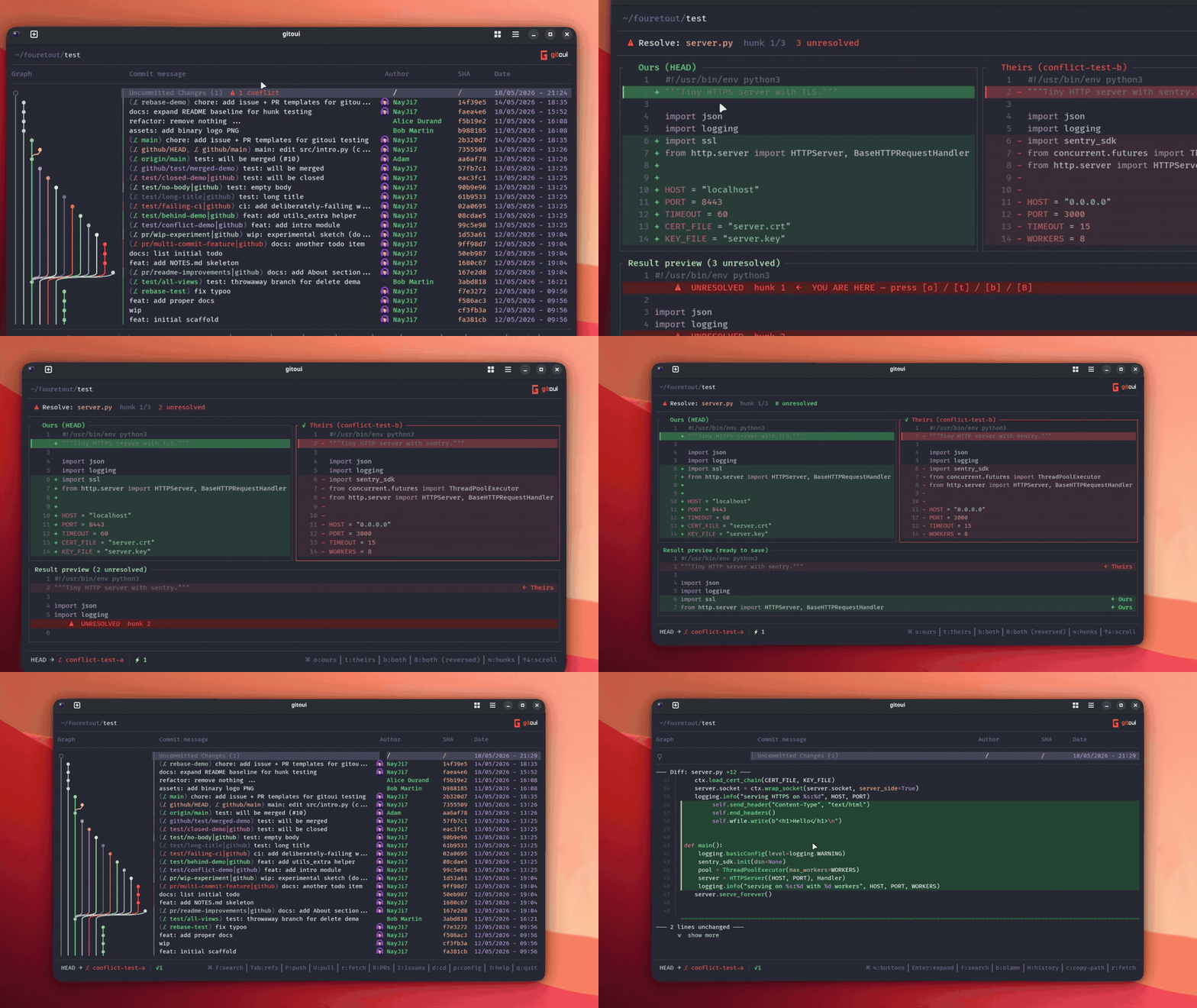
Section titled “Full flow”- From the Uncommitted view, focus a file with the
⚠ N conflict(s)badge and pressa→ editor opens on the first hunk. - Pick an action for each hunk (
o/t/b/Shift+B). n/pwalk between hunks; the picker chip shows your current choice.Enterwrites the resolved file and runsgit add <file>so it leaves the Unmerged list.- Continue your rebase / commit your merge from the Uncommitted view.
Layout
Section titled “Layout”ui.common.conflict_view:
OURS on the left, THEIRS on the right, picker chip floats between.
[ui.common]conflict_view = "two-pane"OURS over THEIRS, scrolling vertically. Better on narrow terminals.
[ui.common]conflict_view = "inline"Both layouts use the same key bindings.