
Interactive rebase
e on a non-HEAD commit (from the commit list or detail view) opens the
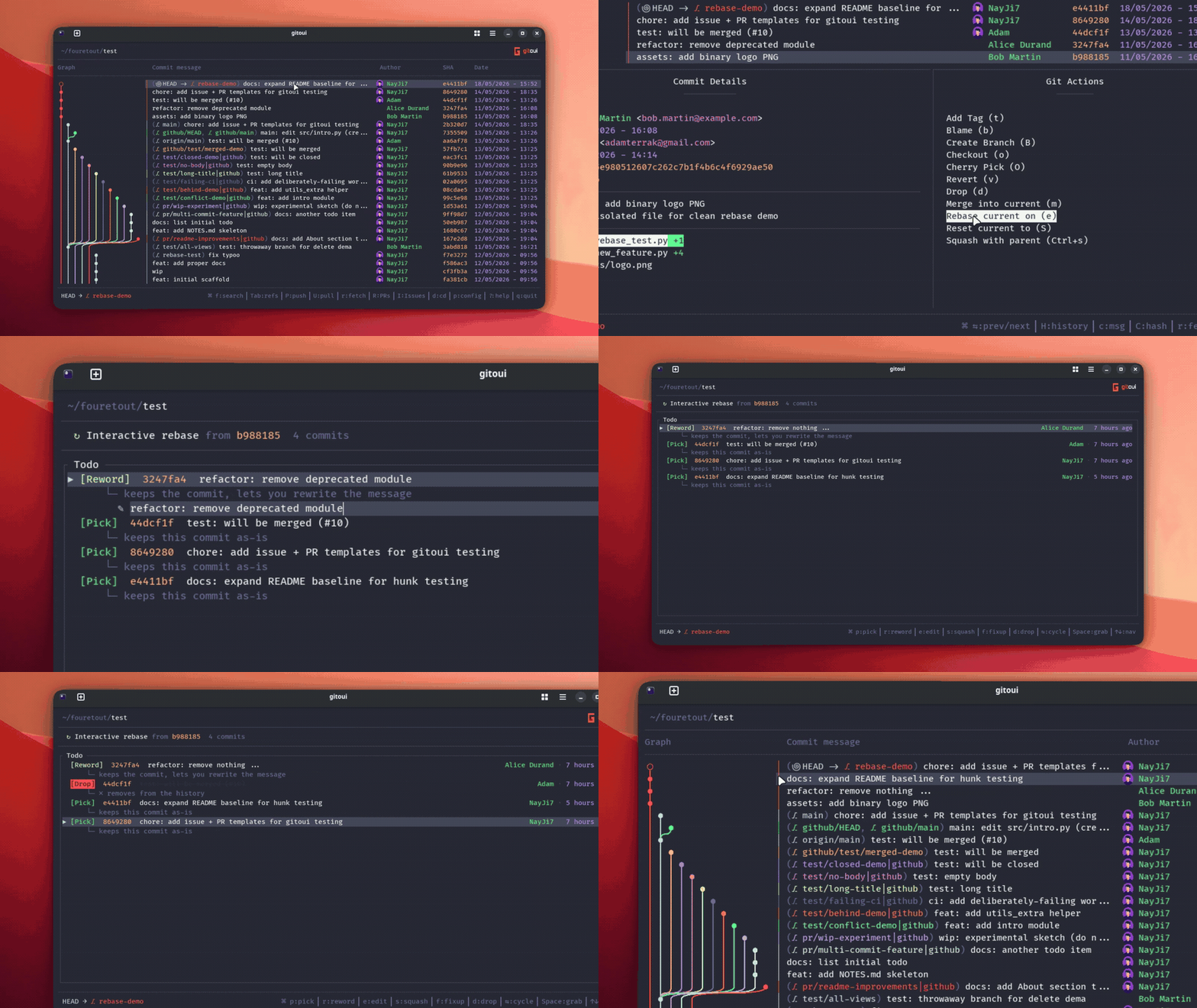
Interactive rebase plan editor. Same semantics as git rebase -i <commit>~1, but visual, and with an in-place reword editor.
The plan editor
Section titled “The plan editor”The view lists every commit from the selected one up to HEAD, with the
default action pick next to each row.
| Press | Action |
|---|---|
p | Pick, keep the commit. |
r | Reword, keep the commit; open the inline subject editor. |
e | Edit, pause the rebase at this commit so you can amend. |
s | Squash, combine into the previous commit, keep both messages. |
f | Fixup, combine into the previous commit, drop this message. |
d | Drop, remove the commit. |
Space | Grab the row, ↑↓ now reorders the commit instead of moving the cursor; Space again or Enter drops the grab. |
↑ / ↓ | Move cursor (or slide the grabbed row). |
| Mouse hover | Soft ▷ glyph in the gutter follows the pointer (no row background), stays live during grab so you can see exactly where the held commit will land. |
| Mouse click | When idle: first click on a row just moves the cursor there; clicking the already-selected row cycles its action (and opens the inline reword editor when it lands on Reword). When grabbed: slide the held commit to the clicked row (commits in between shift by one, no swap) and stay in grab mode so you can keep nudging. Release with Space or Enter. |
← / → | Cycle the action of the focused row. |
Enter | Apply the plan, gitoui writes it to .git/rebase-merge/git-rebase-todo and runs git rebase -i. |
Shift+A | Abort previous, only fires when a stale rebase is still on disk (.git/rebase-merge/). Runs git rebase --abort so you can re-plan from a clean state. The footer surfaces this hint only when there’s something to abort. |
Esc | Cancel (releases the grab first if one is active). |
Reword inline editor
Section titled “Reword inline editor”Hitting r on a commit, or moving onto a row already set to reword,
opens the inline subject editor. You type the new message on the row
itself.
| Press | Action |
|---|---|
Enter | Commit the reword. |
Esc | Cancel. |
Ctrl+H / Ctrl+W / Ctrl+Backspace | Delete word to the left. |
Ctrl+Delete | Delete word to the right. |
Ctrl+Left / Ctrl+Right | Jump cursor by word. |
Resume mode
Section titled “Resume mode”If your rebase pauses (conflict, edit action, etc.), gitoui surfaces
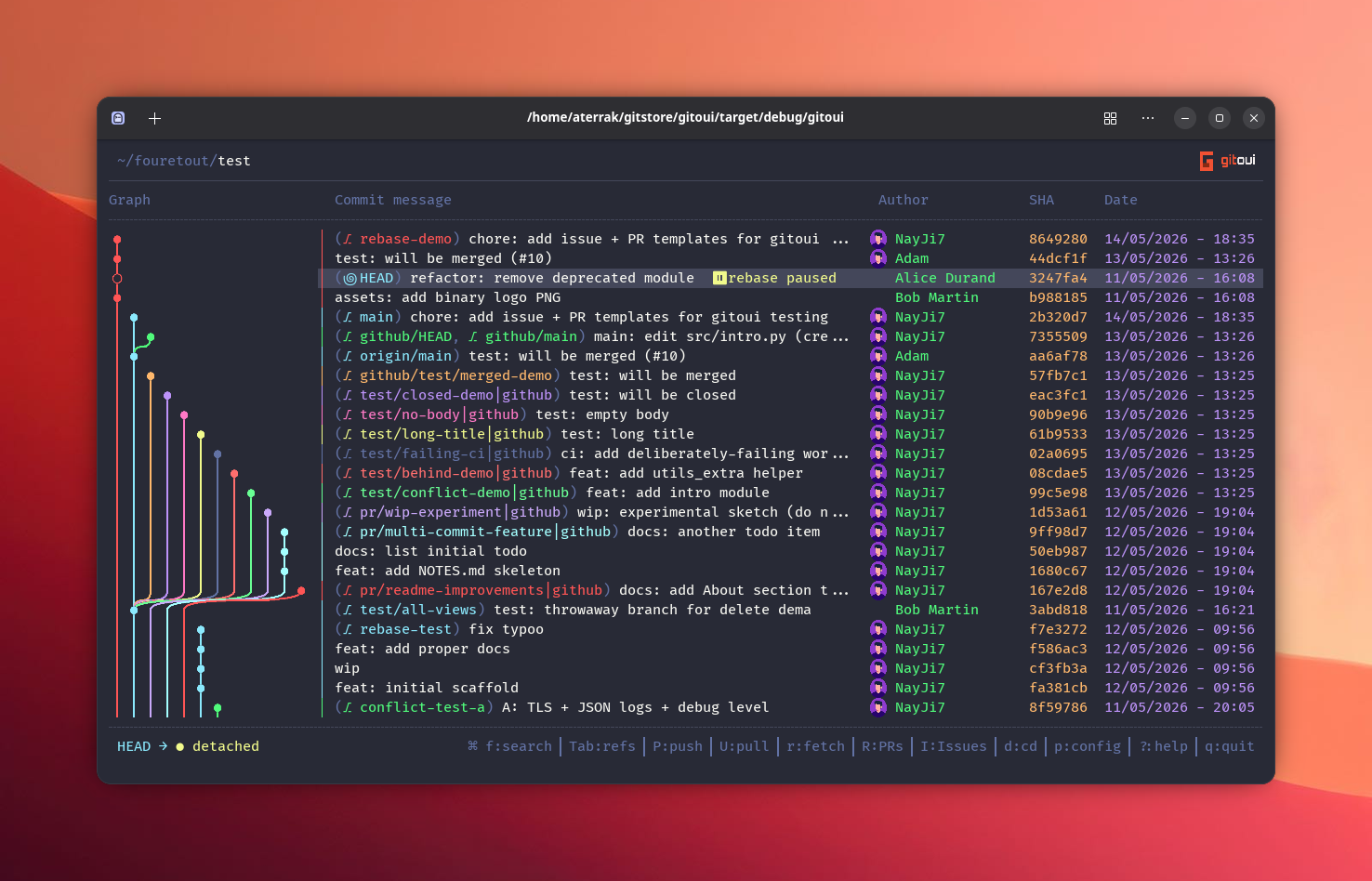
the state in two places so you can’t miss it: a ⏸ rebase paused
badge directly on the row of the commit git is paused on (read from
.git/rebase-merge/stopped-sha), and a resume banner when you open
the rebase view. From the commit list, e jumps you straight to the
banner so you don’t have to navigate manually.
- Open gitoui, the resume banner appears automatically when a
.git/rebase-merge/exists. - Pick: c continue · s skip · a abort
- The banner re-opens on every launch until the rebase is resolved (or aborted).
| Press | Action |
|---|---|
c / Shift+C | Continue (git rebase --continue). |
s / Shift+S | Skip current commit (git rebase --skip). |
a / Shift+A | Abort (git rebase --abort). |
Esc | Close the resume view without acting (rebase stays paused). |
Layout modes
Section titled “Layout modes”ui.common.rebase_view controls how dense the plan view is:
Actions sit next to commit messages, easiest to read at a glance.
[ui.common]rebase_view = "inline"Single line per commit, fewer columns, best on narrow terminals.
[ui.common]rebase_view = "compact"Actions in a separate left column, message on the right, closer to
git rebase -i’s text format.
[ui.common]rebase_view = "split"