
Diff, blame & history
Three closely-related views, drill into history with the same shortcut chain once you’ve focused a file.
Enter on a file row inside a commit drilldown (or the Uncommitted view)
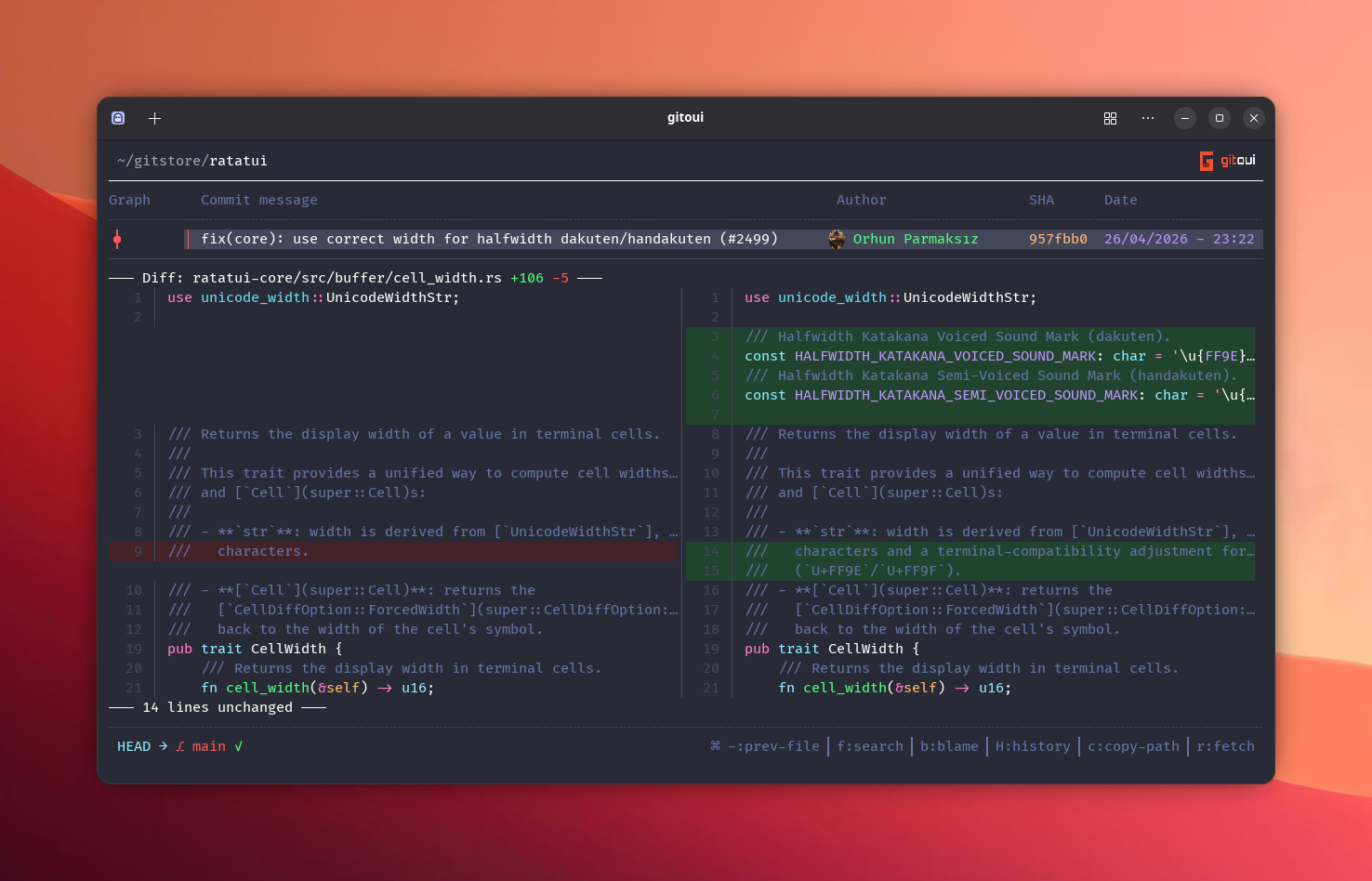
opens the Diff view. Layout is split between:
- Left, file path + hunk navigation.
- Right, the diff itself, syntax-highlighted by syntect (the theme
follows
core.option.syntax_theme).
core.option.diff_mode = "enhanced" (default) renders side-by-side. Set to
"unified" for the traditional git diff layout.
Navigation
Section titled “Navigation”| Press | Action |
|---|---|
↑↓ / j / k | Scroll line by line. |
← / → | Move focus between hunks / buttons. |
PageUp/Down | Page scroll. |
+ / - | Cycle to the next / previous file in the commit. |
r | Refresh. |
In-diff search
Section titled “In-diff search”f toggles search inside the current diff. n / Shift+N jump between
matches. The current match is highlighted in list_match_bg.
Inspect chips
Section titled “Inspect chips”b, open Blame on the focused file at this commit.Shift+H, open File History (git log --follow).c, copy the file path.Shift+C, copy the commit hash.
b on a file opens the blame view. Each line is prefixed with:
- Hash of the commit that authored it.
- Author name (truncated to fit).
- Date.
Lines are grouped into blame blocks (consecutive lines sharing one commit). The viewport highlights the block under the cursor.

| Press | Action |
|---|---|
↑↓ / j / k | Move line by line. |
← / → | Jump to previous / next blame block. |
Enter | Open commit detail for the focused line. |
Shift+H | Open file history (same file). |
Esc | Close. |
Shift+H is the equivalent of git log --follow <file>. Shows every
revision that touched the file, including renames.
| Press | Action |
|---|---|
Enter | Open the focused revision’s commit detail. |
b | Blame the file at that revision. |
c | Copy commit message. |
Shift+C | Copy commit hash. |